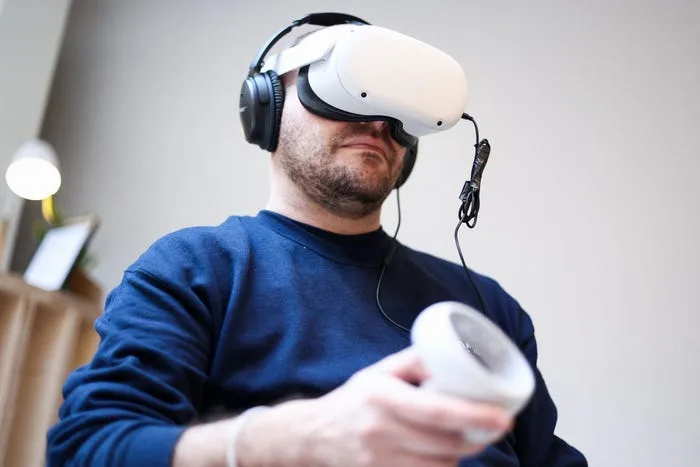
According to the beginner's guide published by VR.org in 2026, most users who feel discomfort at first adapt within one to two weeks. Spec sheets emphasize resolution, field of view or refresh rate, but they ignore factors that really determine whether you will still be using your headset in six months: comfort, the app store and how flexible the device stays over the weeks.
For a first purchase, the confusion is made worse by the Oculus brand legacy. Many online searches still compare "Oculus vs Meta Quest", without realizing that the two names refer to the same product line, renamed by Meta in 2021. Meanwhile, a new player, Valve's Steam Frame, has just appeared on the market, with a radically different philosophy. Reviews from Simracingcockpit.gg, VR.org and Meta's official documentation converge on one point: the ecosystem you enter matters more than the headset model you choose.
1. The ghost of Oculus: a dead brand that skews the comparison
The first difficulty for a newcomer is understanding what lies behind the term "Oculus". Founded in 2012, Oculus VR launched the Rift in 2016, a headset designed exclusively for PC. In 2019, the company introduced the Oculus Quest, a standalone headset that requires no computer. In 2021, Meta announced the gradual retirement of the Oculus brand in favor of "Meta Quest". Today, the original Oculus Rift, Rift S and Quest headsets are no longer sold, and the Meta Quest 3 is the flagship product of the range.
Yet online searches show that many buyers still compare "Oculus" and "Meta Quest" as if they were two competing brands. The mistake can lead to outdated purchase decisions. For example, a user who finds a cheap second-hand "Oculus Rift S" may think they are getting a good deal, when they are buying a headset that is several years old, with no recent software support and a resolution clearly lower than that of the Quest 3. Yet the Quest 3, as Meta's official page states, combines standalone capability and connection to a PC via the Link cable or Air Link.
The term "Oculus" survives mainly as a historical label on the Meta Quest line. The only case where it remains relevant is for accessories or games labeled "Oculus" on older platforms. New buyers should ignore this term in their searches and focus on current models.
2. The forgotten criterion: the ecosystem before the spec sheet
Traditional comparisons give disproportionate weight to raw specifications: resolution per eye, display frequency, field of view. Yet these figures say nothing about ease of daily use, game availability or how long the platform will last. A headset can have exceptional resolution, but if its app store is poor or the manufacturer drops support, the experience will be frustrating.

The Meta Quest 3 combines two uses. On one hand, it works as a standalone console: you turn it on, put on the headset and play, wirelessly, without a PC. On the other, it can connect to a gaming PC, as Meta's official page states, thanks to the Link cable or Air Link. You can start with a limited budget (headset alone) then move on to more demanding PC experiences if the urge comes.
On the other side, Valve's Steam Frame, presented in a VR.org article from November 20, 2026, takes a different approach: it is a pure PC VR headset, designed to work with the SteamVR platform. The article recommends buying the Quest 3 for standalone virtual reality and mixed reality, and reserving the Steam Frame if you already own a gaming PC and live in the SteamVR ecosystem.
The Meta Quest 3 works like a Nintendo Switch: immediate, with a closed ecosystem and exclusive games. The Steam Frame is closer to building a gaming PC: more powerful and more flexible, but also more complex and more expensive.
3. The hidden cost: beyond the purchase price
Buying guides rarely mention the extra costs that can add up fast, especially for a first purchase. Take the Meta Quest 3. Its retail price is competitive, but to get the most out of the device you may need to buy:
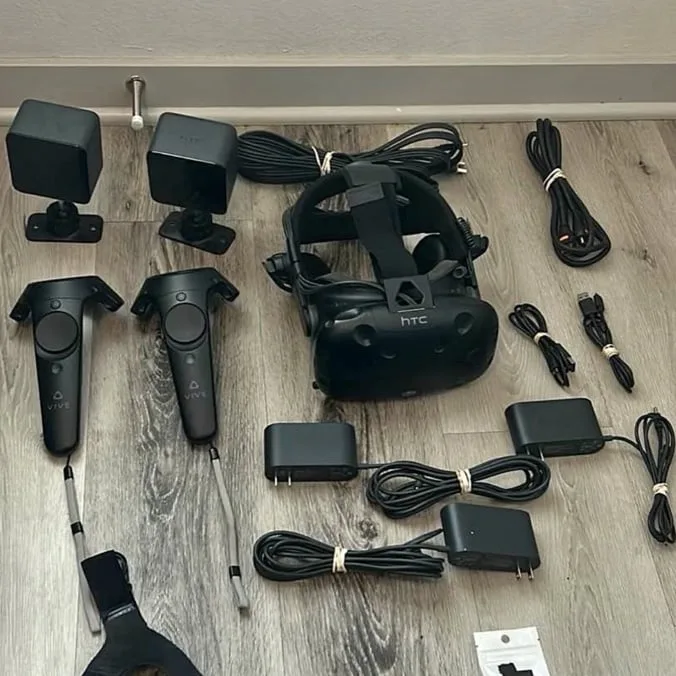
- An official or compatible Link cable for PC connection, if you don't want to rely on Wi-Fi.
- Straps or a more comfortable headband, because the stock headband can create pressure points during long sessions.
- Replacement controllers or protectors, especially if you play active games.
- A charging dock or rechargeable batteries for the controllers.
- Games and apps, which are not included with the headset.
According to the guide from Simracingcockpit.gg, for racing simulation (a very popular use of VR), the Meta Quest 3 is an excellent entry point because it is standalone and also connects to a PC. But for an optimal sim racing experience you need a powerful PC, a wheel and pedals, which pushes the bill well beyond the headset.
The Steam Frame, for its part, already assumes a capable gaming PC. Its entry cost is therefore higher if you don't already own the machine. On the other hand, there is no hidden cost for proprietary accessories, because the SteamVR ecosystem is open and compatible with many third-party peripherals.
Over the long term, the cost of a closed ecosystem like Meta's can also show up in the purchase of exclusive games that you cannot transfer to another platform. If you later decide to switch to a PC VR headset from another brand, you lose access to your Meta Quest purchases, and that loss adds to the real bill.
4. Comfort, often pushed to the back
A headset that is too heavy, poorly balanced or fitted with irritating foam can ruin the experience, even if it claims 4K resolution per eye. The 2026 VR.org guide for beginners stresses the need to factor in how the device feels physically, particularly for people prone to nausea. The same guide notes that most people adapt within one to two weeks. But that adaptation assumes regular, gradual use, which requires a comfortable headset from the start.
For the Meta Quest 3, user feedback indicates that the stock headband is acceptable but not ideal for long sessions. Fortunately, Meta offers optional accessories, and third-party manufacturers sell alternatives. The Steam Frame, designed for PC VR, emphasizes balance optimized for seated play, with weight distributed differently. However, there is no long-term feedback yet, because the product is recent.
Here is a list of objective criteria for assessing comfort before any purchase:
- Total weight and weight distribution (front/back).
- Type of headband (flexible, rigid, with a tightening dial).
- Quality of the facial foam and whether it can be replaced.
- Physical or software interpupillary distance (IPD) adjustment.
- Ventilation and heat dissipation.
A three-hour session puts different demands on the neck and face than a quick demo in a store, so plan to try the headset over a long stretch before committing.
5. The Steam Frame case: an alternative that changes the game
Valve, the company behind Steam, is no newcomer: it already launched the Index in 2019, a high-end PC VR headset. The Steam Frame, documented by VR.org on November 20, 2026, takes a different approach: a more aggressive price and deep integration with SteamVR, the most popular gaming platform on PC.
The Steam Frame does not try to compete with the Quest 3 on battery life. It is a wired headset, built to take full advantage of a gaming PC. The VR.org article is explicit: buy the Quest 3 for standalone VR and mixed reality, and pick the Steam Frame if you own a gaming PC and live inside SteamVR.
If you don't have a gaming PC, the Steam Frame is out of the question. If you do, you have to weigh the pros and cons: the Quest 3 offers more flexibility (it can do both), but its performance in PC mode depends on the quality of the cable or the Wi-Fi network. The Steam Frame, by contrast, draws directly on your PC's power through a DisplayPort cable, with minimal latency and superior image quality.
Valve champions an open ecosystem, where SteamVR games run on any compatible headset. If you buy games on SteamVR, they will remain usable if you change headsets later. At Meta, purchases stay tied to the account and the Quest Store.
6. A 5-step decision framework
Step 1: Define your priority use cases.
- Standalone gaming, without a PC?
- Demanding PC VR games?
- Mixed reality (seeing your real environment with virtual elements)?
- Racing or flight simulation (often PC VR)?
- Social or educational use?
Step 2: Assess your existing hardware.
- Do you have a powerful gaming PC? If so, you can consider a PC VR headset like the Steam Frame or the Quest 3's PC connection.
- If not, the Quest 3 is the only viable choice in the current lineup.
Step 3: Consider the total cost over two years.
- Headset price + accessories (cable, strap, games).
- The cost of a gaming PC if you don't have one (for the Steam Frame).
- The cost of leaving the ecosystem (losing your Meta games if you switch brands).
Step 4: Test comfort and nausea tolerance.
- If possible, try the headset in a store or at a friend's place.
- Start with short sessions and increase gradually.
- According to VR.org, most people adapt within one to two weeks.
Step 5: Check age restrictions and account rules.
- Meta allows Quest use from age 10, according to VR.org.
- Meta accounts require a minimum age and parental supervision.
7. The final choice: closed ecosystem or open ecosystem
Comparison charts line up resolutions, refresh rates, weights, but they rarely say whether your games will follow you to another device.
The Meta Quest 3 follows Meta's approach: a mainstream device, simple and tightly controlled. You buy the headset, you create a Meta account, you download games from the Quest Store, and everything works. In exchange, you accept a closed ecosystem: your purchases are not transferable, and Meta can decide to remove applications or change the terms of use.
The Steam Frame targets enthusiasts, and that means a PC, an installation and settings. But it offers total freedom: SteamVR games are open, accessories are standardized, and you are not locked into a single manufacturer.
If you want a turnkey experience, the Quest 3 is the best option. If you are already a PC gamer and you value freedom and performance, the Steam Frame is a credible alternative.
VR is not reserved for adults: according to VR.org, Meta allows Quest use from age 10, which makes it a viable option for families. But that also implies careful parental management, because not all content is suitable for children.
Check the game transfer policy of the platform you choose, and try the headset on your head before buying.
Further Reading
- Simracingcockpit Gg: guide to the best VR headsets for racing simulation, with a clear recommendation of the Meta Quest 3 for beginners.
- Developers Meta: official tutorial for building a first VR application on Meta Horizon OS, useful for understanding the development ecosystem.
- Vr: beginner's guide to VR in 2026, covering headset choice, motion sickness and age rules.
- Vr: Steam Frame vs Quest 3 comparison, published on 20 November 2026, with clear recommendations depending on your profile.
- Meta: official Meta Quest 3 page, detailing standalone features and PC connection via Link and Air Link.