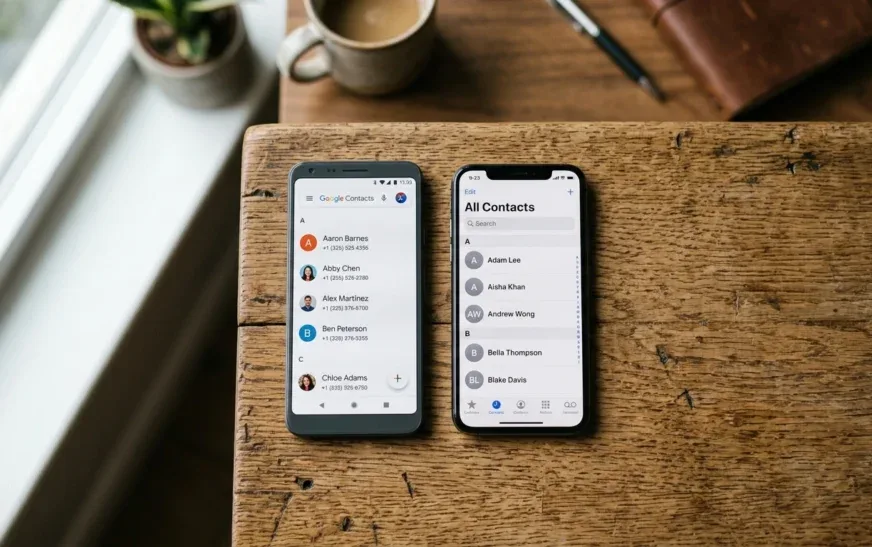
When PCMag compared iOS 27 and Android 17 in September 2026, one observation stood out: Apple had caught up on some of its artificial intelligence gap, but the question is no longer which platform offers the most features, but which ones are genuinely useful in everyday life. For a digital professional, an AI that translates live during a call or writes an email for you is worth far more than a spectacular demonstration.
That is precisely what we will examine. Drawing on tests from PCMag, AndroidPolice and CNET, as well as EFF's analyses concerning security, we will scrutinize the AI features that are genuinely usable on Android and iPhone. You will also find a decision grid to assess your own needs, because the answer depends less on spec sheets than on your workflow.
> Key takeaways
> - Useful AI is measured by its ability to automate concrete tasks, not by the number of announced features.
> - Apple standardizes the AI experience across all recent iPhones, while Android offers more choice but with uneven security.
> - Advanced protections such as Google's program are available only on certain Android devices, whereas Apple's Lockdown mode is built in.
> - The real-world test of two flagships, the Galaxy S25 Ultra and the iPhone 17 Pro Max, shows that integrating AI into the interface matters more than raw performance.
The only criterion that matters: what does AI do for you?
Generative AI demonstrations tend to highlight spectacular uses: image creation, conversations with a chatbot, automatic summaries. But on a smartphone, usefulness plays out in repetitive tasks. According to PCMag's comparison, iOS 27 stands out for its telephony, translation and personalization features. Android 17, for its part, offers advances in generative art and contextual assistance. Both platforms have converged on the same promise: saving you time.
To assess real usefulness, list the tasks you would like to delegate to AI. Here are the most common among digital professionals:
- Real-time translation: taking part in a video conference with a foreign colleague without a language barrier, or reading a technical document in another language. Both ecosystems now offer built-in translation features, but their fluidity varies depending on the applications.
- Assisted writing: composing emails, reports or Slack messages. The respective assistants offer contextual writing, but quality depends on the language and style requested.
- Photo and video retouching: removing an unwanted object, improving a hastily taken shot. Generative AI excels here, and both platforms compete in ingenuity.
- Interface personalization: generating wallpapers, modifying icons, adapting the system's appearance. Android led for a long time, but Apple is catching up with iOS 27.
- Task automation: creating smart shortcuts, scheduling actions based on context. Here again, the difference lies in the flexibility offered to advanced users.
However, be wary of flashy features. How many users have generated an AI image once to try it, then never returned to it? Real usefulness is measured over time. Experience shows that the most widely used features are those that integrate without friction into existing applications: reply suggestions in messaging, translation of a web page, automatic photo enhancement. That is where the differences between Android and iPhone deepen.
These features are not exclusive to one platform, but their implementation differs. Apple favors native integration into its applications (Messages, Phone, Photos), while Android relies on an ecosystem of third-party applications and manufacturer overlays. For a professional, the question becomes: do you prefer a homogeneous experience or the ability to tinker? This decision will depend on your tolerance for complexity and your need for control over the system.
Security, the blind spot of AI demonstrations
As AI creeps into calls, messages and photos, it collects sensitive data. A professional cannot ignore this aspect. The EFF has published an analysis of Google's Advanced Protection Program, now available on Android. This program, intended for high-risk users, is similar to Apple's Lockdown Mode: it restricts certain features to reduce the attack surface. But the EFF points out a limitation: these features are reserved for certain devices, or only for phones from certain brands. On iPhone, Lockdown Mode is built into all recent models, without distinction.
For a professional who handles confidential data, this difference is crucial. Choosing an Android for its AI features can mean giving up enhanced protection if your model is not eligible. Conversely, the iPhone offers uniform security but with less freedom in choosing hardware. Here are a few points to check before buying:
- Compatibility with Google's Advanced Protection Program: not all Android phones support it. Check the official list before committing.
- Apple's Lockdown Mode: it disables certain features (attachments in Messages, FaceTime calls from unknown numbers, etc.) to protect against targeted cyberattacks. Do you accept these restrictions?
- Risks related to generative AI: voice deepfakes and AI phishing are becoming more sophisticated. Enable two-factor authentication and always verify the identity of your contacts, even if the voice sounds familiar.
The threat level varies depending on your profile. An investigative journalist, a lawyer or an executive does not have the same needs as a freelance developer. The EFF recommends the Advanced Protection Program for high-risk individuals, but notes that everyone can benefit from it if security is a priority. On Android, activation is done through Google settings, provided your device is compatible. On iPhone, Lockdown Mode is available from initial setup. Before choosing, assess your exposure to risk: do you handle sensitive data? Does your phone contain information critical to your business?
These security considerations are rarely highlighted in advertisements, but they determine the trust you can place in your phone every day.
A real test: two weeks with the Galaxy S25 Ultra and the iPhone 17 Pro Max
AndroidPolice put both flagships in the hands of a journalist. Samsung's Galaxy S25 Ultra and Apple's iPhone 17 Pro Max each embody the vision of their ecosystem. The test, published in November 2025, does not come down in favor of an absolute winner, but highlights differences in approach. Samsung relies on Galaxy AI, a set of features integrated into One UI, while Apple deploys its capabilities through Siri and native applications. The journalist notes that those tired of Apple will find a more open experience on Android, but that the iPhone remains the benchmark for consistency.
In practice, both devices excel in basic functions: live translation, photo editing, automatic summaries. The differences lie in the details. On the Galaxy S25 Ultra, extensive customization makes it possible to automate sequences of actions with routines; on the iPhone, Siri shortcuts offer certain flexibility but within a more controlled framework. In terms of generative AI, Samsung offers a variety of creative tools, while Apple emphasizes privacy with on-device processing. This difference in philosophy can influence your choice if you prioritize creativity or data protection.
This test confirms that the choice does not come down to a list of features. Ergonomics, speed of access to AI features and the quality of integration into your workflow play a decisive role. If you have the opportunity, try both before deciding.
The CNET ranking: a fragmented but rich Android ecosystem
CNET published its verdict on the best Android phones in October 2026. One of the models selected is described as "one of the most user-friendly Androids for iPhone regulars," with good cameras and AI that is "fun, even useful." This fragmentation of the Android offering is a double-edged sword: it lets you choose a phone tailored to your needs, but it complicates the promise of a uniform experience. Apple, for its part, guarantees that all recent iPhones benefit from the same AI features, with no surprises.
For a professional, this difference has concrete implications. If you manage a fleet of phones for a company, Apple's uniformity simplifies deployment and support. On the other hand, if you are a demanding individual user, Android offers you options ranging from the clean Pixel to the feature-rich Galaxy. The CNET ranking shows that some Androids now rival the iPhone on photo quality and smoothness, while offering AI that is sometimes more playful. This diversity can be an advantage if you know exactly what you are looking for, but it requires more research on your part.
Evaluate your workflow in 4 steps
Before deciding, follow this simple method to determine which platform will best meet your needs.
- List your priority AI tasks: translation, writing, photo editing, automation, etc. Note the frequency of each task (daily, weekly, occasional).
- Test these tasks on both platforms: if possible, borrow a device or use online simulators. Compare the number of steps required to accomplish the task. The fewer steps there are, the more integrated the AI is.
- Check the security of your future device: for Android, check compatibility with Google's advanced protection program. For iPhone, check that Lockdown Mode can be enabled and that it does not block features you need.
- Evaluate the total cost: the purchase price, but also the subscription to cloud services, the lifespan of updates and the resale value. AI should not be the only financial criterion.
This approach will keep you from being seduced by an impressive demonstration that, in everyday use, will not serve you. Take the time to note your priorities before comparing, because a bad choice can lead to long-term frustration.
Decision grid: 7 criteria to decide
To sum up, here is a comparison table based on information from the cited sources. Rate each criterion from 1 to 5 according to its importance to you, then add up the points in each column.
| Criterion | Android | iPhone |
|---------|---------|--------|
| Live translation | Wide choice via different overlays (Samsung, Google), but variable quality | Built into iOS 27, consistent but less configurable |
| Interface customization | Very extensive, including with generative AI | More limited, but Apple is catching up with iOS 27 |
| Advanced security | Google's advanced protection program on some devices only (EFF) | Lockdown Mode built into all recent iPhones |
| Ecosystem and compatibility | Open, but fragmentation of AI features | Closed, but a homogeneous experience with Mac, iPad |
| Hardware choice | Very wide, from mid-range to premium | Limited to a few models, all high-end |
| AI updates | Variable depending on manufacturers | Uniform and simultaneous |
| Data privacy | Varies depending on brands and overlays | Stricter positioning, but less transparent |
This table is in no way definitive. Above all, it highlights that the "best" choice depends on your priorities. A developer who needs a customizable phone will prefer Android, while a lawyer concerned about privacy will opt for an iPhone with Lockdown Mode. Adapt this grid according to your own professional context.
Don't choose for AI, choose for what it allows you to do
At the end of this analysis, one conclusion stands out: AI should not be a criterion of appeal but of efficiency. Translation, personalization, and photo editing features are now mature on both platforms. The real difference lies in security, consistency, and the degree of control. Digital professionals will benefit from concretely testing the features that save them time: writing an email, translating a conversation, organizing photos. If security is an absolute priority, the iPhone with Lockdown Mode remains the safe bet. If you want a tailor-made device, Android offers a wider range, provided you check compatibility with Google's advanced protection program.
The Android vs iPhone battle will continue, but the essentials lie elsewhere: AI must remain a tool, not a distraction. Take the time to define your needs, test on both ecosystems, and choose with full knowledge of the facts. Stay informed about updates, because AI features evolve quickly.
Further reading
- PCMag - iPhone vs. Android: Who's Winning Right Now? - Comparison of the operating systems and their AI features.
- EFF - Google's Advanced Protection Arrives on Android: Should You Use It? - Analysis of the advanced protection program and its limitations.
- AndroidPolice - I used the Samsung Galaxy S25 Ultra and iPhone 17 Pro Max, and I ... - Hands-on test of both flagships.
- CNET - Best Android Phones of 2026: Our Experts Give Their Verdict - Selection of the best Android phones of 2026 with mention of useful AI.