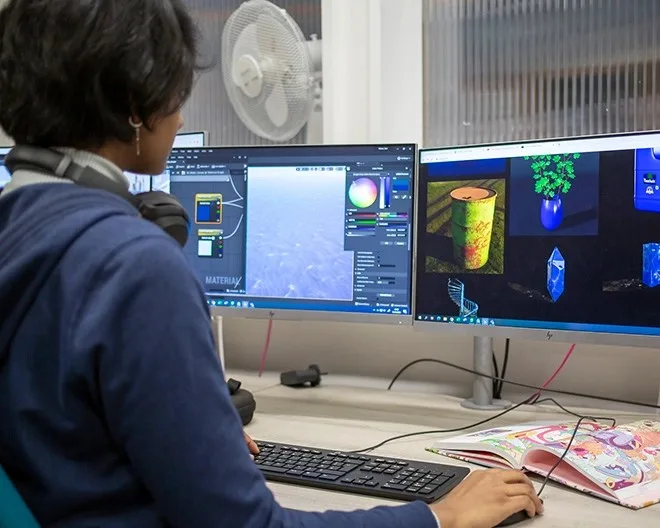
When Incredibuild surveyed developers about their preferred engine, the answer was clear-cut: Unity reigns among independents. Yet Unreal Engine 5 demos show graphics that make you want to abandon everything for a cinematic render. This contrast illustrates the central dilemma of any independent game creator in 2025: prioritize production speed or visual quality?
Choosing an engine is not just a technical question. It determines the budget, the schedule, the skills to acquire, access to resources and even the ability to recruit. For a studio of two or three people, making the wrong choice can cost months of work. This article compares Unity and Unreal Engine 5 from three angles – cost, performance and ease of use – drawing on recent analyses (Gamosophy, Coursera, Generalistprogrammer, etc.) to help you decide.
Why does this choice determine the success of an independent project?
A game engine is not a simple tool: it is a complete ecosystem that dictates how you will design, prototype, iterate and publish your game. For an independent developer, every hour counts. A poorly suited engine can turn a simple mechanic into a headache or multiply production costs.
According to the Generalistprogrammer comparison (2025), Unity and Unreal Engine differ on structural points: graphical quality, performance benchmarks, pricing models, learning curves. The academic study referenced by ResearchGate goes further by analyzing technical characteristics, licensing models and suitability for different types of projects. The common conclusion: there is no "best" engine in absolute terms, but an engine better suited to your context.
For an independent, the selection criteria narrow down to three questions:
- What is my real budget, including hidden costs (training, assets, plugins)?
- What are my current skills in programming and graphics?
- What type of game do I intend to create – 2D, mobile 3D, high-end PC, VR?
We will detail each criterion by comparing the two engines.
Is Unity really easier to get started with than Unreal Engine 5?
This is the point most often cited by independent developers. According to Incredibuild, Unity dominates among indies "thanks to its ease of use, its C# language and its rich 2D support." C# syntax is generally considered more accessible than Unreal's C++, especially for profiles coming from web development or other object-oriented languages.
Unreal does, however, offer a major asset: Blueprints, a visual scripting system that allows you to create game logic without writing a single line of code. For a graphic artist or a game designer, this can drastically reduce dependence on a programmer. But this apparent ease has a downside: a complex project based solely on Blueprints can become difficult to maintain and optimize. Most studios recommend a hybrid approach (C++ for the core of the game, Blueprints for prototyping).
In practice:
- If you have never programmed, Unity with C# remains simpler to start with, because learning resources are legion and the curve is gradual.
- If you come from the artistic world and want to prototype alone, Unreal and its Blueprints may seem more intuitive at first glance, but you will quickly hit performance limits.
The choice therefore depends on your profile. Coursera emphasizes that the two engines differ in their features, their cost and their ease of use, and that you must evaluate your own skills before getting started.
What are the real costs for an independent developer in 2025?
The question of cost is often wrongly reduced to a simple comparison of licenses. In reality, the total cost includes:

- The price of the license or subscription
- Any royalties on revenue
- The purchase of assets or plugins
- Training time
- Infrastructure costs (build, cloud, etc.)
Unity operates on a subscription model. A free version (Personal) exists, but it imposes a revenue cap and displays the Unity logo at game launch. For studios whose revenue exceeds this threshold, paid plans (Plus, Pro) are required. Prices vary depending on team size and required features.
Unreal Engine operates on a royalty model: the engine is free to use, but Epic Games takes a percentage of gross revenue above a certain amount. This threshold has been raised in recent years, making Unreal very attractive for small projects that do not generate significant revenue.
According to Gamosophy (2025), the cost comparison must take these two logics into account: a studio planning high revenue may pay less with Unity, while a small game with low margins will benefit more from Unreal's model. There is no universal answer.
Practical tip: run a simulation on your projected revenue. If you are aiming for €50,000 in revenue in the first year, Unreal will probably cost you nothing in royalties, whereas Unity might require a subscription to remove the splash screen or access certain features. Conversely, if your game becomes a hit worth several million, Unreal's royalty can become significant.
Unity and Unreal Engine 5: what level of graphical performance for a small studio?
This is Unreal Engine 5's home turf. Lumen (dynamic global illumination) and Nanite (virtualized geometry) technologies make it possible to achieve photorealistic renders with relative ease. For a PC or console game aiming for AAA visual quality, Unreal has an edge.
However, this power comes at a cost in hardware resources. Unreal Engine 5 requires a robust development machine and can be overkill for a mobile or 2D game. Unity, for its part, is known for its lightness and its ability to run on modest configurations, which makes it a preferred choice for mobile games, web games and projects with a low graphical footprint.
Generalistprogrammer notes in its 2025 guide that performance benchmarks vary greatly depending on scenes and optimizations. A poorly optimized project in Unity can be as slow as a poorly tuned Unreal project. But for an independent developer without optimization expertise, Unity generally offers a safer starting point.
Analogy: Unity is like an agile compact car, perfect for the city; Unreal Engine 5 is a powerful SUV, ideal for difficult terrain but fuel-hungry. Your choice depends on the journey you plan to take.
C# or Blueprints: which language should you choose based on your profile?
This question comes up systematically in developer communities. The answer depends on what you already know and what you are ready to learn.
- C# (Unity): a mature, typed language, widely used outside of video games. Documentation is abundant, and it is easy to find answers on Stack Overflow. For a developer coming from Java or JavaScript, the transition is smooth.
- C++ (Unreal): more powerful but more complex. It offers fine control over memory and performance, but requires a rigor that many independent developers do not have the time to acquire.
- Blueprints (Unreal): visual scripting accessible to non-programmers. Ideal for rapid prototyping, but quickly becomes unreadable for complex logic. Professional studios often use it as a complement to C++.
Incredibuild confirms that the preference for C# is a key factor in Unity's dominance among indies. But if you come from graphics or design, do not underestimate Blueprints: it can allow you to create a playable prototype in a few days.
Is 2D support a decisive criterion for indie games?
Absolutely, and this is an area where Unity excels. For years, Unity has invested in dedicated 2D tools: Tilemap, 2D Animation, Sprite Editor, etc. The vast majority of indie 2D games (platformers, roguelikes, visual novels) are developed in Unity.
Unreal, historically 3D-oriented, has certainly improved its 2D support with the Paper2D tool, but it remains far behind Unity in terms of features and documentation. If your project is in pixel art or vector 2D, Unity is almost always the best choice.
According to Incredibuild, "Unity dominates among indie developers thanks to […] its rich 2D support." This is a competitive advantage that is hard to ignore.
How do the community and ecosystem influence development?
An engine is nothing without its community. For an indie developer, being able to find a tutorial, an asset, or an answer to a bug in a few minutes is vital.
- Unity has a massive community, an extremely well-stocked Asset Store, and thousands of online courses. Most problems have already been solved.
- Unreal also has a very active community, but it is more oriented toward high-end 3D and mid-sized studios. The Marketplace offers many assets, often of high quality, but less suited to small budgets.
Both engines offer quality official documentation, but Unity has a head start when it comes to resources for beginners. For a solo developer, this wealth of content can save weeks.
Summary table: Unity vs Unreal Engine 5 for indies
| Criterion | Unity | Unreal Engine 5 |
|--------|-------|------------------|
| Main language | C# | C++ + Blueprints |
| Ease of learning | High, especially for programmers | Medium; Blueprints makes prototyping easier |
| 2D support | Excellent (Tilemap, 2D Animation) | Limited (Paper2D, less mature) |
| 3D graphical quality | Good, but requires work to achieve photorealism | Excellent (Lumen, Nanite) |
| Cost model | Subscription (free under conditions) | Free + royalty beyond a revenue threshold |
| Community and ecosystem | Very large, overflowing Asset Store | Large, Marketplace oriented toward high-end 3D |
| Target platforms | Very broad (mobile, PC, console, web, VR) | Broad, but less optimized for mobile/web |
| Ideal for | 2D games, mobile, rapid prototypes, small teams | Ambitious 3D games, PC/console, teams with graphical skills |
Quick checklist for choosing your engine
Before committing, review these points:
- [ ] Is my game primarily 2D? → If yes, lean strongly toward Unity.
- [ ] Is my game aiming for photorealistic rendering on PC/console? → If yes, Unreal Engine 5 is more suitable.
- [ ] Do I already have skills in C# or C++? → C# → Unity; C++ → Unreal.
- [ ] Is my training budget limited? → Unity has more free resources for beginners.
- [ ] Does my team include non-programmers? → Unreal and Blueprints can involve everyone.
- [ ] What is my projected revenue over 2 years? → Compare the real costs (subscription vs royalty).
- [ ] Do I need to target mobile or web? → Unity is generally lighter.
- [ ] Does my project require advanced VR features? → Both engines support VR; consult the arXiv study for the specifics (link at the bottom).
Questions you should ask yourself next
Beyond choosing the engine, other questions deserve your attention:
- Can I afford to change engines along the way? Migrating a Unity project to Unreal (or vice versa) is costly and rarely recommended. It is better to choose well from the start.
- What level of performance is expected on my target platform? A mobile game does not have the same requirements as a PC game.
- How will I monetize my game? Unreal's royalty model can become burdensome if you exceed the threshold; Unity requires a subscription to remove the splash screen, which can affect brand image.
- Do I need access to the source code? Unreal gives access to the full C++ code, which can be an advantage for advanced optimizations. Unity also offers licenses with source code access, but at a higher cost.
To go further on VR, the arXiv article (August 2025) analyzes the respective strengths of Unreal and Unity in the virtual reality landscape, a field in full expansion for indie studios.
Further Reading
Here are the sources used for this article, which offer complementary and detailed perspectives:
- Gamosophy – Unity vs Unreal: How to Choose the Right Game Engine in 2025 – Comparison of ease of use, graphics, costs, and suitability for indie studios.
- Coursera – Unity vs. Unreal: What's the Difference? – Exploration of differences in features, cost, and ease of use.
- Incredibuild – Unity vs Unreal Engine – Which One Is Right For You? – Analysis of Unity's dominance among indies thanks to C#, 2D support, and community.
- Generalistprogrammer – Unity vs Unreal Engine: Complete Comparison Guide 2025 – Graphics benchmark, performance, pricing, and learning curves.
- arXiv – Choosing the Right Engine in the Virtual Reality Landscape – Comparative study of Unreal and Unity in the context of virtual reality.
- ResearchGate – A Comparative Analysis of Unity, Unreal Engine, Godot, and CryEngine – Technical analysis, licensing models, and suitability for modern projects.