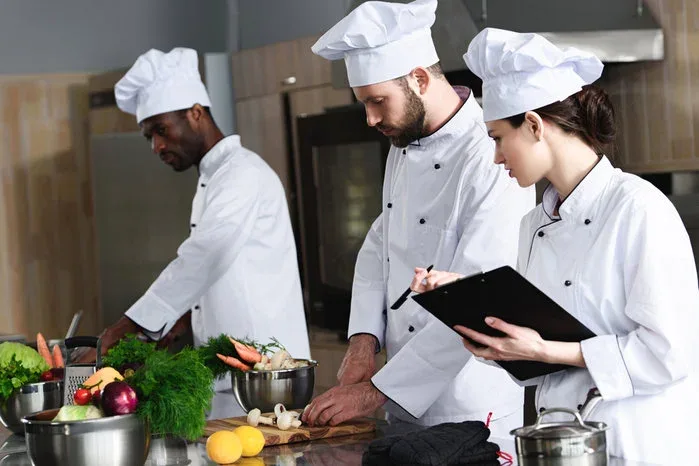
Jane Friedman, a recognized figure in the publishing world, has just published a detailed guide on using Todoist to manage her professional and personal task lists. Her article describes a system structured by projects, deadlines, and priorities, designed to never let a task sink into oblivion again. Meanwhile, in the kitchens of Michelin-starred restaurants, chefs orchestrate dozens of simultaneous preparations without ever consulting an app. No notifications, no red badges: just a brigade, a work plan, and iron discipline.
This dichotomy raises a question: what if the age-old methods of the brigade could solve the modern problem of the endless task list? Office workers are overwhelmed by emails, meetings, and micro-tasks. Chefs, on the other hand, produce hundreds of impeccable plates every evening, service after service. It is not about turning your open space into a kitchen, but about borrowing a few fundamental principles that have proven themselves in one of the most stressful environments in the world.
This article explores what hospitality professionals can teach digital workers, draws on the concrete example of Jane Friedman and professional programs such as those at LATTC, and offers avenues for adapting the rigor of the pass to your daily office life.
The brigade as a masterclass in task management
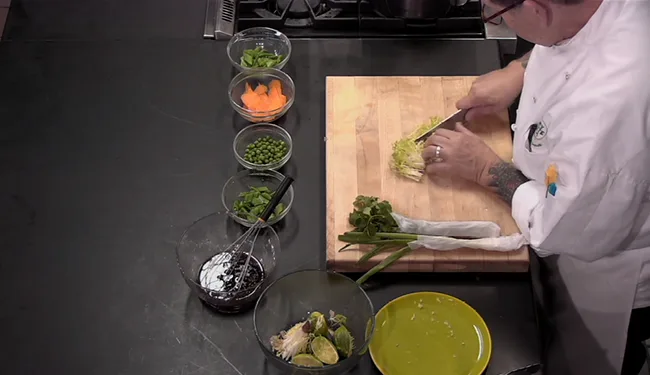
A professional kitchen operates like a machine for processing orders in real time. Each station has a precise role: the saucier, the pastry chef, the garde-manger. Each ingredient is prepared in advance, cut, measured, placed in labeled containers. This preparation is called mise en place. Without it, no service can begin.
This concept, seemingly simple, covers a complete philosophy of work management:
- Everything is ready before the action begins. The chef does not start slicing onions when the first customer sits down. He has anticipated.
- Each task has a defined place. Utensils, ingredients, sauces: nothing is left to chance.
- Communication is brief and codified. "Yes, chef!" does not mean "I agree," but "I have received the information and I am executing."
- Priorities change in real time. An order ticket arrives, the station chef adjusts his order of execution without losing the thread.
- Closing is sacred. After service, you clean, you take inventory, you prepare for the next day.
These principles are not reserved for the stove. They respond to a universal problem: how to handle a continuous flow of requests without being overwhelmed. Office workers, for their part, accumulate unread emails, Slack notifications, and half-open folders. The difference lies not in the nature of the tasks, but in the absence of a system.
What the office can learn from the kitchen

1. Digital mise en place
Before starting your day, prepare your digital workspace as a chef prepares his station. Close unnecessary tabs, open the essential documents, load the files you will need. If you use a tool like Todoist, Jane Friedman's example is telling: she structures her day into projects and deadlines. Each task has a context, a priority level, a date. Nothing is left in a jumble in a mental inbox.
Concretely, this means:
- Defining your "ingredients": the three or four folders, tools, or documents essential for your tasks of the day.
- Preparing your "sauces": email templates, standard replies, code snippets, or reusable paragraphs.
- Organizing your "utensils": sorting your files, labels, keyboard shortcuts, bookmarks.
2. The hierarchy of tickets
In the kitchen, not all orders are equal. A table of two for a starter does not go before a table of ten that has ordered a tasting menu. The front-of-house manager transmits the tickets, the head chef sequences them. In the office, most employees process tasks in order of arrival: first email, first reply. Result: real emergencies drown in the noise.
Adopt a simple rule: with each new request, ask yourself "Does this come before what I am currently doing?" If the answer is no, add it to the queue. If yes, interrupt yourself consciously and note where you were. This "ticket" discipline avoids destructive multitasking.
3. Working by stations
A brigade operates by specialized stations. The pastry chef does not handle meats, the fish cook does not plate desserts. This specialization allows for a speed and quality that are impossible to achieve by constantly switching context. In an office, this translates into batching: grouping similar tasks (answering emails, making calls, writing reports) and processing them in dedicated time blocks.
Jane Friedman, in her article, illustrates this approach by using separate projects in Todoist: one for professional tasks, one for personal tasks, with sub-projects for each area. This segmentation reproduces the logic of kitchen stations: each "station" has its own tasks, its own priorities, and you only move from one to another at defined times.
4. Communication in "service" mode
During a service, communication is reduced to the essentials. No long emails, no impromptu meetings. Information circulates quickly, clearly, and everyone knows what they have to do. Office workers could take inspiration from this economy of words:
- Avoid meetings without an agenda: a chef does not organize a meeting to ask "where are you at?".
- Use short confirmations: "Received," "In progress," "Done" are better than a long discussion thread.
- Centralize critical information: a shared dashboard, like the pass, where everyone sees orders pending, in preparation, and completed.
5. Closing the service
When the last customer has left, the kitchen does not stop. You clean, you put things away, you take inventory, you prepare the next day's mise en place. This is what makes it possible to start again on a good footing in the morning. In the office, the end of the day is often abrupt: you close the computer and leave, leaving behind a pile of unfinished thoughts.
Establish a ten-minute closing ritual:
- Review your task list and check off what is finished.
- Move unfinished tasks to the next day or later.
- Write down the three priorities for the next day.
- Close all applications, tidy your physical and digital desk.
This ritual, as simple as it is, reduces mental load and allows you to truly disconnect.
Comparison table: professional kitchen vs traditional office
To visualize the gaps and possible bridges, here is a comparison of the two worlds across six key dimensions of task management.
| Dimension | Professional kitchen | Traditional office | Transferable lesson |
|---|---|---|---|
| Preparation | Exhaustive mise en place before service | The day often starts by sorting through emails | Devote 15 minutes each morning to preparing your space and your priorities |
| Prioritization | Orders are handled according to service order, allergies, deadlines | First come, first served, regardless of impact | Adopt an urgency/importance matrix, as the chef sequences tickets |
| Communication | Brief, codified, spoken aloud or via the pass | Longish emails, endless meetings, ambiguous messages | Use short confirmations and dedicated channels by type of information |
| Error management | A failed plate is redone immediately, without drama | An error triggers a chain of justification emails | Correct quickly, document the correction, move on |
| Teamwork | Everyone knows their station and trusts the others | Blurred boundaries, diluted responsibilities | Clearly define who does what and how far |
| Closing | Cleaning, inventory, preparation for the next day | You close the computer and leave, your mind still cluttered | Establish an end-of-day ritual to transfer tasks and disconnect |
This table shows a fundamental difference: the kitchen has built explicit processes to absorb a constant flow of requests, while the office relies too often on individual memory and goodwill. The good news is that these processes can be learned – and professional programs like those at LATTC already integrate them, for example in the paralegal curriculum where managing tasks associated with legal files is a core skill.
The classic mistakes when transposing the chefs' method
Adopting kitchen principles in an office environment does not happen without missteps. Here are the most common pitfalls, with concrete examples.
Mistake #1: Turning every task into a giant setup
Some employees, enthusiastic as they are, spend hours preparing files, templates and lists without ever executing the task itself. It's like a cook who would spend the whole service peeling vegetables without ever turning on the oven. Setup is a means, not an end. Set a time limit for preparation (15 to 30 minutes) and get started.
Mistake #2: Applying the ticket hierarchy without context
In the kitchen, the chef has an overview of the orders. In the office, if each person manages their own queue without coordination, you get bottlenecks. For example, three colleagues may decide that their task is the priority and block the others. The solution: a daily five-minute check-in to align priorities, like a service briefing.
Mistake #3: Copying terse communication without the mindset
Saying "Yes, chef!" to your manager won't make you a better employee if you don't actually confirm that you understood the request and that you will execute it. Brevity does not excuse imprecision. A "Received" can hide a misunderstanding. Always specify the deliverable and the deadline: "Received, I'll deliver the report Friday at 5 p.m."
Mistake #4: Treating service as a permanent state of emergency
The kitchen operates in peaks of intensity. A lunch service lasts two hours, then the team takes a breather, prepares, rests. Office employees who try to maintain a "service" pace all day long end up exhausted. Alternate blocks of intense focus (60 to 90 minutes) with recovery breaks. Sustainable productivity is not a continuous sprint.
Mistake #5: Neglecting the close-out because "tomorrow is another day"
Without an end-of-day ritual, unfinished tasks remain in limbo and pollute the evening. Your brain, like a dirty kitchen, keeps the pots on the stove. Take ten minutes to tidy your digital space, note the blocking points and set tomorrow's priorities. That's your "worktop cleaning."
Future scenarios: what if the chefs' method became the norm in the office?
The idea of importing brigade practices into office environments is not new, but it is gaining ground as digital tools make it possible to reproduce flow and station logics. What could office work look like in five years if these principles became widespread?
Optimistic scenario: the office as a Michelin-starred kitchen
Companies adopt rituals inspired by the restaurant industry: daily ten-minute briefings, shared dashboards in the style of a pass-through shelf, rotating roles by "station" (communication, production, analysis), and systematic close-out. Tools like Todoist evolve to integrate "brigade" views where each member sees pending, in-progress and completed tickets. Productivity increases, stress decreases, and job satisfaction follows. Professional training programs, like those offered by LATTC, include task management modules inspired by the kitchen.
Necessary conditions: a strong managerial commitment, simple and interoperable tools, a culture of trust and individual responsibility.
Pessimistic scenario: the tyranny of the ticket
Misinterpreted, the chefs' method can drift toward stifling micro-management. Every task becomes a "ticket" to be validated, every minute is timed, every employee is reduced to an executor without autonomy. Brief communication turns into curt orders. The professional kitchen has a strict hierarchy for a reason: food safety and speed. An office does not have the same constraints. Applying discipline without trust leads to a toxic environment.
Conditions to avoid: excessive surveillance, over-standardization, forgetting the need for creativity and deep thinking.
Realistic scenario: selective hybridization
Employees and teams pick from the chef's toolbox what suits them: morning setup, batching by station, end-of-day closeout, concise communication. Digital tools adapt with dynamic prioritization features and team views. Repetitive tasks are automated, leaving humans with judgment and relationship tasks, like the chef who supervises and tastes rather than chopping onions. Jane Friedman, in her article, already shows this path: a personal, flexible system that relies on technology to free the mind.
What this scenario requires: education in good practices, managers trained in facilitation rather than command, and tools that integrate without friction into the existing workflow.
Conclusion: Will your next meeting start with a "Yes, chef!"?
Professional chefs have no magic secret. They have a system, a discipline and a team. Their to-do list is no shorter than yours: it is simply organized, sequenced and executed with ruthless clarity. Adopting just three of their practices – morning setup, ticket hierarchy and service closeout – can transform your relationship with work.
The real question is not whether you can become as efficient as a starred chef, but whether you are ready to accept that performance is born from preparation, not permanent improvisation. So, the next time you open your computer, ask yourself: "Is my workstation ready for service?" And if the answer is no, you know where to start.
Further reading
- Jane Friedman — Managing your to-do list with Todoist - Practical guide on using Todoist for professional and personal tasks.
- LATTC — Academic programs - Overview of professional programs including task management (e.g. paralegal).